Building "Byte of Me": A Full-Stack Portfolio Platform with a Custom CMS
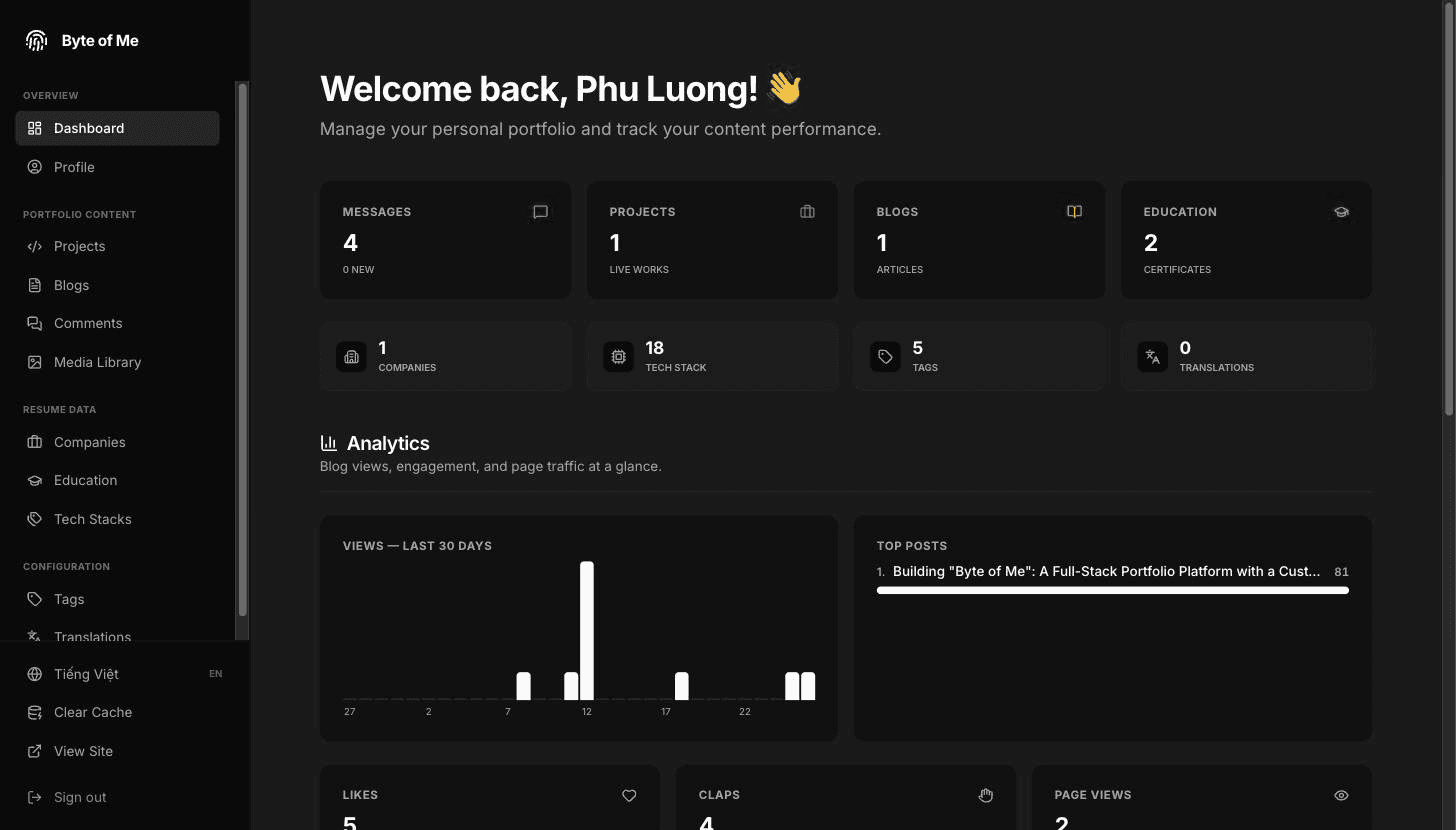
Building a personal portfolio is a rite of passage for developers, but for Byte of Me I wanted to go beyond a basic template. The goal: a streamlined, custom CMS — a full-stack monorepo that manages multi-language blogs, projects, and academic history through one private dashboard.
The High-Level Architecture
The whole system ships as a single Next.js app on Vercel, backed by managed services:
flowchart TB
    V["Visitor - en / vi"]
    A["Author - role ADMIN"]

    subgraph vercel["Vercel"]
        CDN["Edge cache"]
        PUB["Public routes<br/>home · about · projects · blogs · contact"]
        PROT["Dashboard - protected"]
        ACT["Server actions"]
    end

    PG[("PostgreSQL<br/>Supabase")]
    S3[("Object storage<br/>Supabase S3")]

    V --> CDN -->|"cached 1h, SWR 24h"| PUB
    A --> CDN -->|"no-store"| PROT
    PUB --> ACT
    PROT --> ACT
    ACT --> PG
    ACT --> S3
    V -.->|"reads images directly"| S3
- Frontend: Next.js 16 (App Router, Turbopack). Public pages are statically prerendered and served from the edge cache; the dashboard renders dynamically with no-store.
- Database & ORM: PostgreSQL on Supabase, with Prisma 7 as the type-safe bridge — talking to Postgres through the @prisma/adapter-pg driver adapter, so no query-engine binary ships with the app.
- State management: TanStack Query for the dashboard's client-side cache and optimistic updates. The public site doesn't need it — Server Components fetch straight from Prisma.
- Styling & motion: Tailwind CSS + Framer Motion, loaded lazily through LazyMotion so visitors don't pay for animation features up front.
Monorepo: Unified Logic, Distributed Scale
Byte of Me is a Bun + Turborepo monorepo. Shared logic lives in packages/, keeping the app in apps/ lightweight and focused:
├── apps/
│   └── web/            # The Next.js application
├── packages/
│   ├── ui/             # Shared UI kit: shadcn/ui primitives, Tiptap editor, motion
│   ├── db/             # Prisma schema, client & seed
│   ├── storage/        # S3-compatible storage client
│   ├── logger/         # Structured logging
│   └── config/         # Shared TypeScript presets
├── docs/
├── turbo.json
└── bun.lock
Bun is the package manager (bun.lock, plus workspaces in the root package.json), the test runner (bun test — jest is gone) and the bundler for db, storage and logger. It is deliberately not the application runtime: Next still builds and runs on Node, because bun run --bun next build does not resolve use-intl's conditional subpath exports the way Node does — the identical build succeeds on Node in about 28 seconds.
Every package is consumed as TypeScript source via transpilePackages — no build step before bun dev. One detail I care about: @byte-of-me/ui exposes subpath exports ./rich-text-editor, ./rich-text, ./lib/sanitize) instead of one giant barrel. Importing a barrel that re-exports the editor from a public-site component would drag all of Tiptap into every visitor's bundle — with subpaths, the editor only exists where it's actually used.
Frontend Design: Feature-Sliced Design (FSD)
Folder structure is one of the hardest problems in a growing Next.js codebase. apps/web/src follows Feature-Sliced Design[1]: a layer may import from layers below it, never above, and never sideways across slices.
flowchart TB
    APP["app/ — routes · layouts · providers"]
    WID["widgets/ — composite sections<br/>public-site-header · blog-details-content"]
    FEAT["features/ — user capabilities<br/>blog-comment · blog-filters · media-library"]
    ENT["entities/ — domain models + server API + UI<br/>blog · project · education · tag"]
    SH["shared/ — config · hooks · i18n · lib · ui"]

    APP --> WID --> FEAT --> ENT --> SH
The rule worth saying out loud: an entity never imports a feature. If it seems to need one, either the logic belongs in the entity, or the feature should pass it in.
Inside widgets/ and features/, slices are grouped by audience — public, dashboard, auth. "Never expose dashboard functionality to a public route" is visible in the directory listing instead of buried in a guard.
Data Flow, Caching & Trust
The lifecycle of a content update:
1. Server Components fetch content directly from Prisma during the request.
2. Server Actions handle every mutation from the dashboard — and each one starts by calling requireAdmin(). The dashboard layout also guards the view, but server actions are addressable endpoints, so the action-level guard is the real security boundary.
3. Revalidation purges stale data across three cache layers:
Layer | Scope | Invalidated by |
|---|---|---|
Vercel edge | Public HTML, 1h + 24h SWR | Time, or a deploy |
Next.js data cache | Tagged queries |
|
TanStack Query | Dashboard client state |
|
Instead of relying on time-based expiration alone, I prefer on-demand, tag-based revalidation. The cache is purged exactly when I hit Save — no guessing whether data is still fresh.
Solving Internationalization (i18n)
A key requirement was English + Vietnamese support. There are two translation systems that must never be mixed:
Static UI (buttons, labels, navigation)
Handled by next-intl with JSON message files — and generated type declarations, so an unknown key fails tsc:
{
  "nav": {
    "projects": "Projects",
    "blog": "Blog"
  }
}
Dynamic content: metadata vs. translations
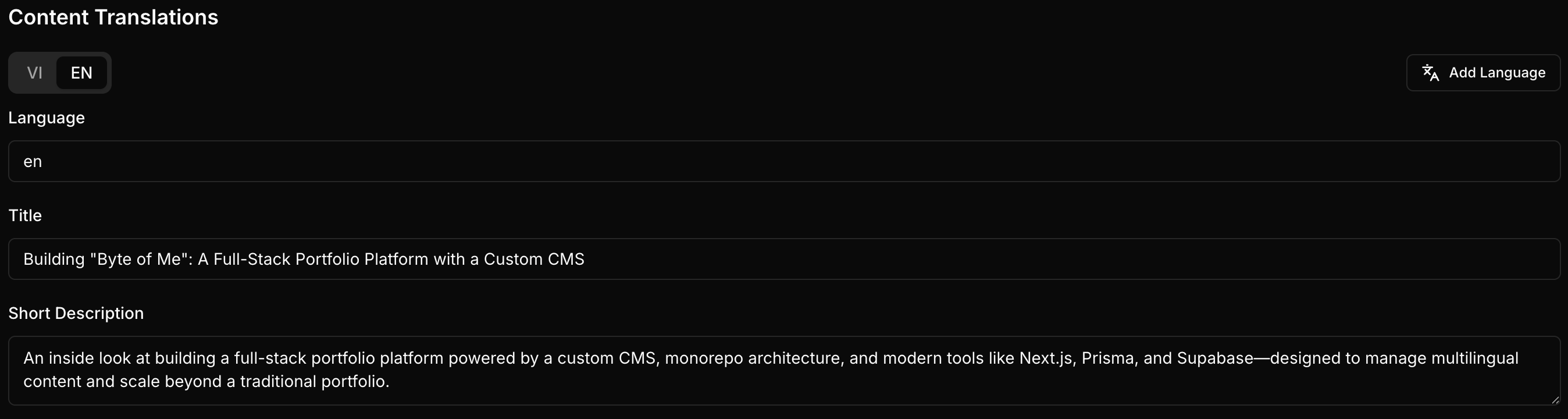
Content the author writes lives in the database, with the base model (metadata) decoupled from its translations:
model Blog {
  id            String    @id @default(cuid())
  slug          String    @unique
  publishedDate DateTime? @default(now()) @map("published_date")
  isPublished   Boolean   @default(false) @map("is_published")

  translations BlogTranslation[]
  @@map("blogs")
}

model BlogTranslation {
  language String
  title    String
  content  String @db.Text // Tiptap document, stored as JSON

  blogId String @map("blog_id")
  blog   Blog   @relation(fields: [blogId], references: [id], onDelete: Cascade)

  @@unique([blogId, language]) // one translation per language
  @@map("blog_translations")
}
Resolving the right language is one small function with a deliberate fallback chain — requested locale → English → whatever exists:
// shared/lib/i18n-utils.ts
export function getTranslatedContent<T extends { language: string }>(
  translations: T[],
  locale: string
): T | undefined {
  return (
    translations.find((t) => t.language === locale) ||
    translations.find((t) => t.language === 'en') ||
    translations[0]
  );
}
The dashboard editor is language-aware and tabbed (EN | VI): switching tabs retargets the form at that translation record, so I can publish in one language and translate later — completely independent of the post's metadata.
The Rich Text Pipeline
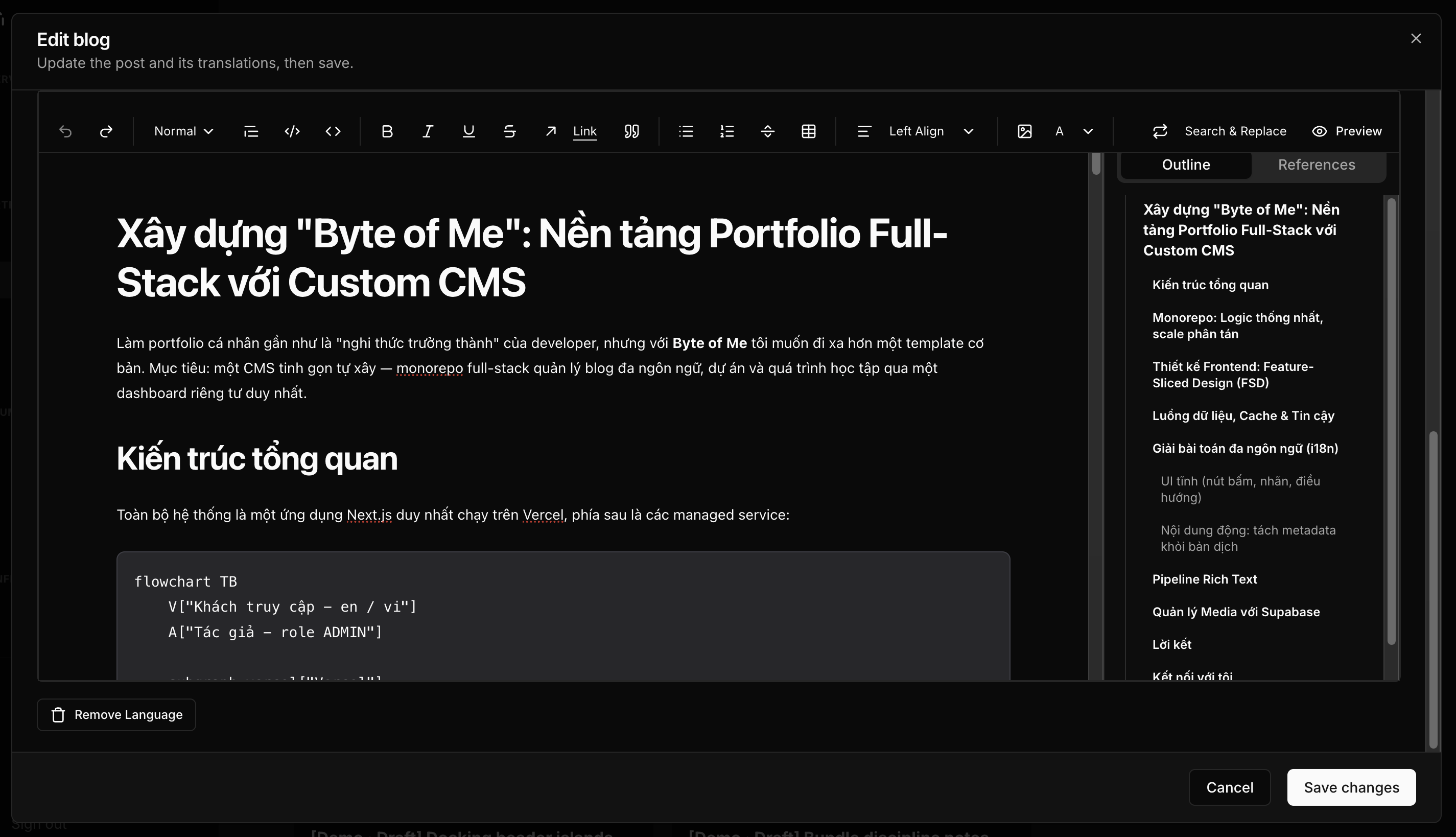
This is where "custom CMS" earns its name. Posts are written in a Tiptap editor in the dashboard and stored as JSON documents, not HTML. On the public site, a server component turns that JSON back into HTML at render time — through a schema that mirrors the editor's, plus an allowlist sanitizer as the last line against stored XSS.
The pipeline supports what a technical blog actually needs:
- Tables and code blocks with syntax highlighting (~37 languages, highlighted on the server — zero client cost)
- Mermaid diagrams: a ```mermaid code block renders as source on the server, then a tiny client component swaps it for the drawn SVG — and the ~500 KB mermaid library is only downloaded on pages that contain a diagram
- Citations with derived numbering and a generated bibliography
The part I'm most strict about: the editor never ships to visitors. The editing bundle (Tiptap + ProseMirror) loads lazily inside the dashboard only; public pages receive pre-rendered, sanitized HTML.
Image rows and captions
The most recent addition, and the one this post can demonstrate on itself. Two or more images can sit side by side as a single row — each image carrying its own caption, and the row carrying one more for the pair:


The row is a real <figure> and every caption a real <figcaption>, so the structure survives wherever the document goes — including the PDF export below, where break-inside: avoid stops a row being sliced across a page break. Below 640px the row stacks, so a comparison stays readable on a phone.
Exporting an article as PDF
Any article can be downloaded as a PDF from the action bar at the top. It is not a screenshot: the same server component that renders the page produces static HTML, and Chrome lays out real glyphs from real fonts — so the text in the PDF stays selectable and searchable, and the maths keeps its KaTeX typesetting.
Media Management with Supabase
Uploads go through a server action, so storage credentials never reach the browser. Reads bypass the app entirely — next/image fetches from the Supabase host directly, with automatic format conversion and lazy loading.
FUNCTION uploadMedia(files, scope)
    // 1. Security check — every mutation starts here
    IF requireAdmin() fails THEN RETURN error("Unauthorized")

    // 2. Validate before anything reaches storage. A check in the upload
    //    form is a courtesy; this one is the guarantee, because every
    //    editor calls straight through to here.
    violation = findUploadViolation(files)   // type · per-file size · batch
    IF violation THEN RETURN error(describe(violation))

    FOR EACH file IN files:
        // grouped by what the image is for, not just when it arrived
        path = "users/" + userId + "/media/" + scope + "/" + year + "/" + month + "/" + id
        storage.putObject(path, file)          // Supabase S3 bucket
        db.media.create({ url, fileName, size }) // indexed in Postgres

    revalidateTag(CACHE_TAGS.MEDIA) // purge exactly what changed
    RETURN success
Wrapping Up
Byte of Me represents a shift from building a site to building a platform. Next.js for performance, Prisma for safety, Feature-Sliced Design for clarity — and a rich text pipeline that lets posts like this one carry tables, diagrams, and highlighted code without shipping an editor to a single visitor.
Curious how it works under the hood? The source is on GitHub:
👉 https://github.com/lthphuw/byte-of-me
Let's Connect
Running great for now, but more updates are coming soon. Stay tuned! :v
I'm always down to chat about clean code, FSD architecture, or new projects. If you have a question or just want to say hi, feel free to reach out!
- Email: lthphuw@gmail.com
- LinkedIn: https://www.linkedin.com/in/phu-lth
- GitHub: https://github.com/lthphuw/byte-of-me
References
- Usage with Next.js | Feature-Sliced Design.https://feature-sliced.design/docs/guides/tech/with-nextjs
Comments
Must sign in to comment